
This project is no longer actively developed or maintained.
Library providing easy to use mouse or touch (for mobile devices) based drag-and-drop capabilities to Google Web Toolkit (GWT) projects.
If you have questions, please post them on http://groups.google.com/group/gwt-dnd and I (or someone else) will try to answer them as best as possible. Using the forum means that others can benefit from any answers and feedback you get. It is always the fastest way to get an answer to a new question.
I'd like to know if you're using gwt-dnd on your project, and how useful (or not) this library is to you. You can send me an email at fredsa@gmail.com.
Read the wiki here: https://github.com/fredsa/gwt-dnd/wiki/GettingStarted
Try the working demo:
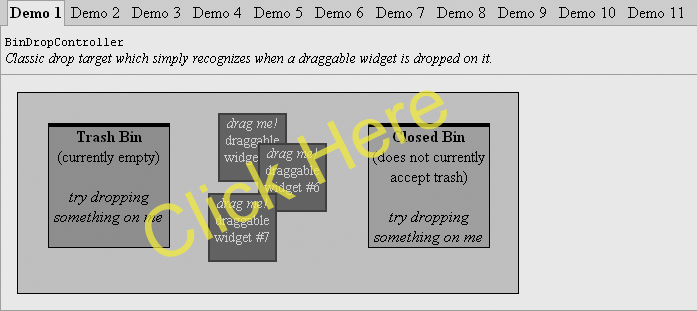
- Drag-and-Drop - classic drag/drop operations for your existing widgets and panels
- Drag-and-Move - allows user to rearrange widgets within a Panel
- Non-invasive - No need to extend or implement special library classes or interfaces; just use your existing widgets and panels
- Any Widget that implements
SourcesMouseEventsis draggable. For today's version of GWT that meansFocusPanel,HTML,ImageandLabelare immediately draggable. Listening for mouse events on other widgets is relatively straight forward. - Any
Panelcan become a drop target. If you need absolute positioning on the drop target, useAbsolutePanel.
- Any Widget that implements
- Quirks mode and Strict mode fully support
- Inline and Block elements are supported for dragging and as drop targets
AbsolutePanel,IndexedPanel,FlowPanelandFlexTabledrop targets- Drag Handles - grab hold of small part of a larger widget
- Drag Proxies - Leave the original widget in place while you drag a proxy widget around
- Veto Capability - Prevent certain operations from happening, causing the draggable to snap back to its original location
EventListenerfor drag-and-drop events viaDragHandlerinterface- Many examples with source code
DropController |
Description | Example Use |
|---|---|---|
AbsolutePositionDropController |
Drag-and-Move widgets around an AbsolutePanel. |
Moving drawing elements around on a flow chart. |
AbstractDropController |
Create your own controllers from this base class. | Anything you can dream up. |
BoundaryDropController |
All drag operations are ultimately constrained by a panel you specify. By default this panel is RootPanel.get() which means you can drag widgets over the entire page. |
For use as part of the gwt-dnd implementation. |
FlexTableRowDropController |
Rearrange rows in a FlexTable. |
Users rearrange results of a query. |
FlowPanelDropController |
Drop controller for instances of FlowPanel. |
Moving elements around in flowed text. |
HorizontalPanelDropController |
Drop controller for instances of HorizontalPanel. |
Moving widgets in a horizontal list. |
GridConstrainedDropController |
Similar to AbsolutePositionDropController, but constrains the position of the draggable widgets to a specified grid. |
Allows for 'snap to grid' functionality. |
SimpleDropController |
For simple drop targets which allows a widget to be dropped on them. | A trash can icon. |
VerticalPanelDropController |
Drop controller for instances of VerticalPanel. |
Moving widgets in a vertical list. |
Please let me know what you think. Suggestions are always welcome.
| Project | Description |
|---|---|
| gwt-voices | Provides sound support for your GWT applications. |
| gwt-log | Provides logging support for your GWT applications. |